


UOLoT Installation Guide
To access the game, it is mandatory to read the rules. You can access them at this link
First, we need to download the game from HERE
It may take a little while after the download finishes until you can open the file; this is normal. Once downloaded, run UOLoT.exe
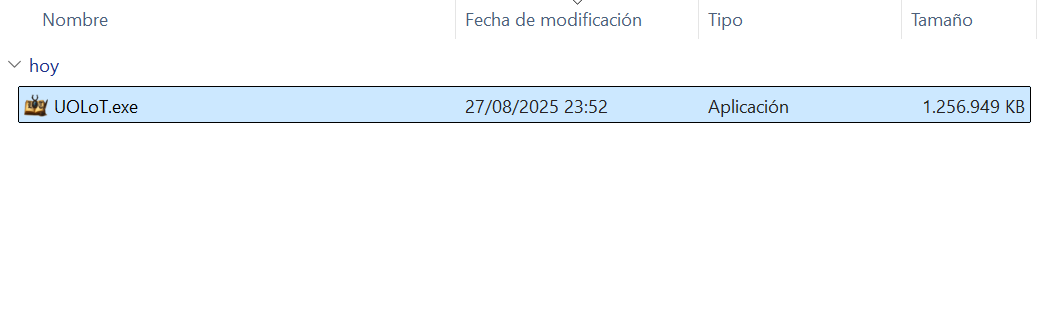
It may take a little while after the download finishes until you can open the file; this is normal. Once downloaded, run UOLoT.exe
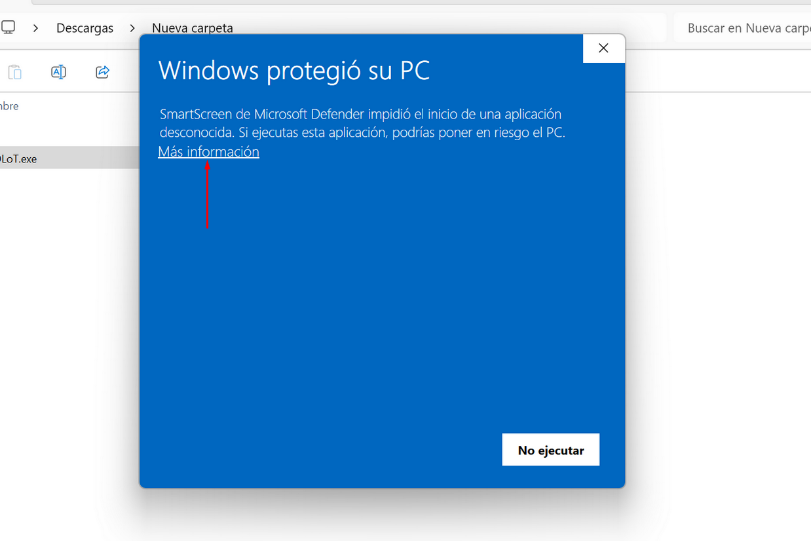
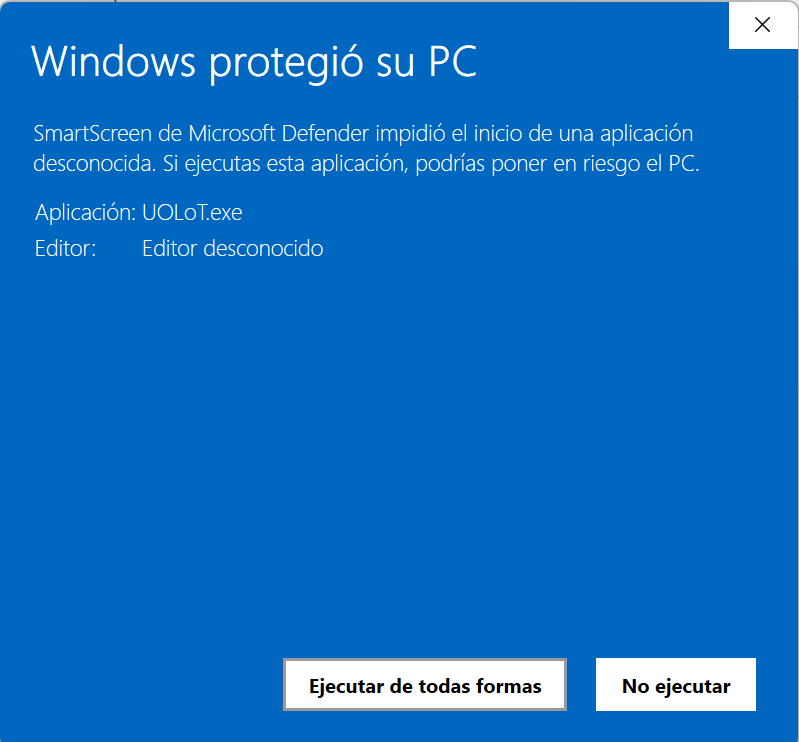
Since this is a client developed by us, it is possible that Windows Defender or your antivirus may detect it. If the following message appears, simply click “More info” and “Run anyway”.
Select the installation language (English or Spanish)

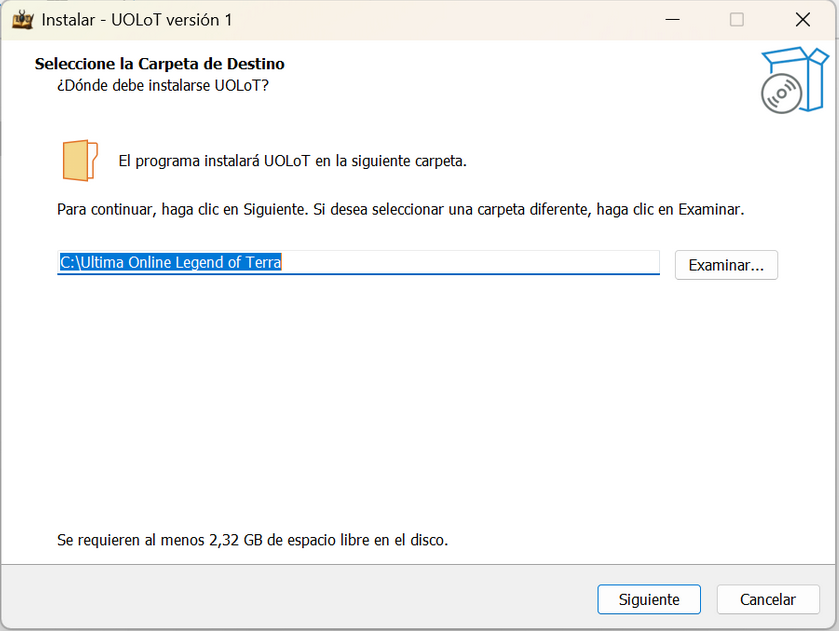
Select the installation path. We strongly recommend not changing the default path, and then click “Next”
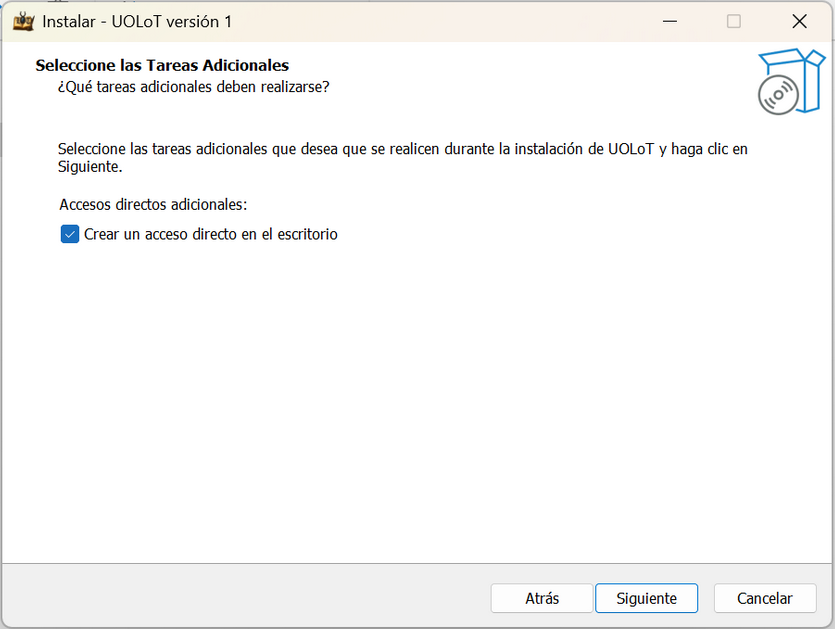
If you want, select the option to create a desktop shortcut and click “Next”
Once the installation is complete, to start playing, simply double-click the desktop icon, or “Cliente UOLoT.exe” in the installation folder:
Do not use UOLoT.exe directly, as automatic updates will not work.
We would also like to take this opportunity to explain: This client is under constant development. We are a team committed to providing the best possible experience, and we hope the client meets all your expectations.
If you encounter any problems or have implementation suggestions, do not hesitate to contact the Staff. The client was created by the Staff, and we will be happy to help you resolve any issues as quickly as possible.
Thanks to this effort, we can ensure a fair gaming experience for everyone. Accessing the server using any client other than the official one is not allowed. Our client is designed to prevent file modifications or the use of unauthorized assistants.
Using alternative clients or external tools is strictly prohibited and will result in permanent account suspension.
Do not use UOLoT.exe directly, as automatic updates will not work.
We would also like to take this opportunity to explain: This client is under constant development. We are a team committed to providing the best possible experience, and we hope the client meets all your expectations.
If you encounter any problems or have implementation suggestions, do not hesitate to contact the Staff. The client was created by the Staff, and we will be happy to help you resolve any issues as quickly as possible.
Thanks to this effort, we can ensure a fair gaming experience for everyone. Accessing the server using any client other than the official one is not allowed. Our client is designed to prevent file modifications or the use of unauthorized assistants.
Using alternative clients or external tools is strictly prohibited and will result in permanent account suspension.